Sendcloud API keys
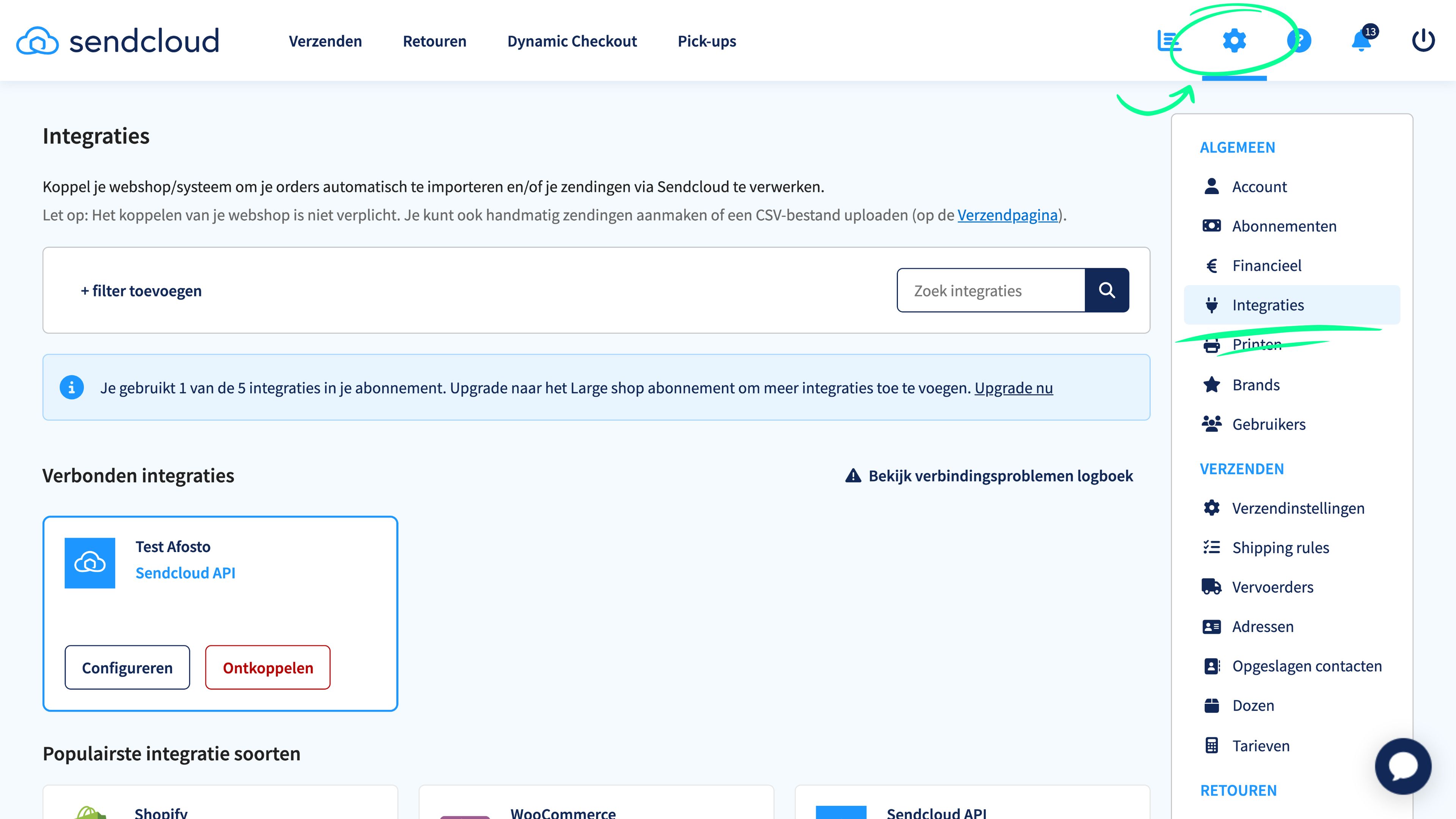
In Sendcloud, go to settings (the gear icon at the top right of your screen) and then click on 'Integrations' in the right-hand menu. A screen with all possible integrations will open.

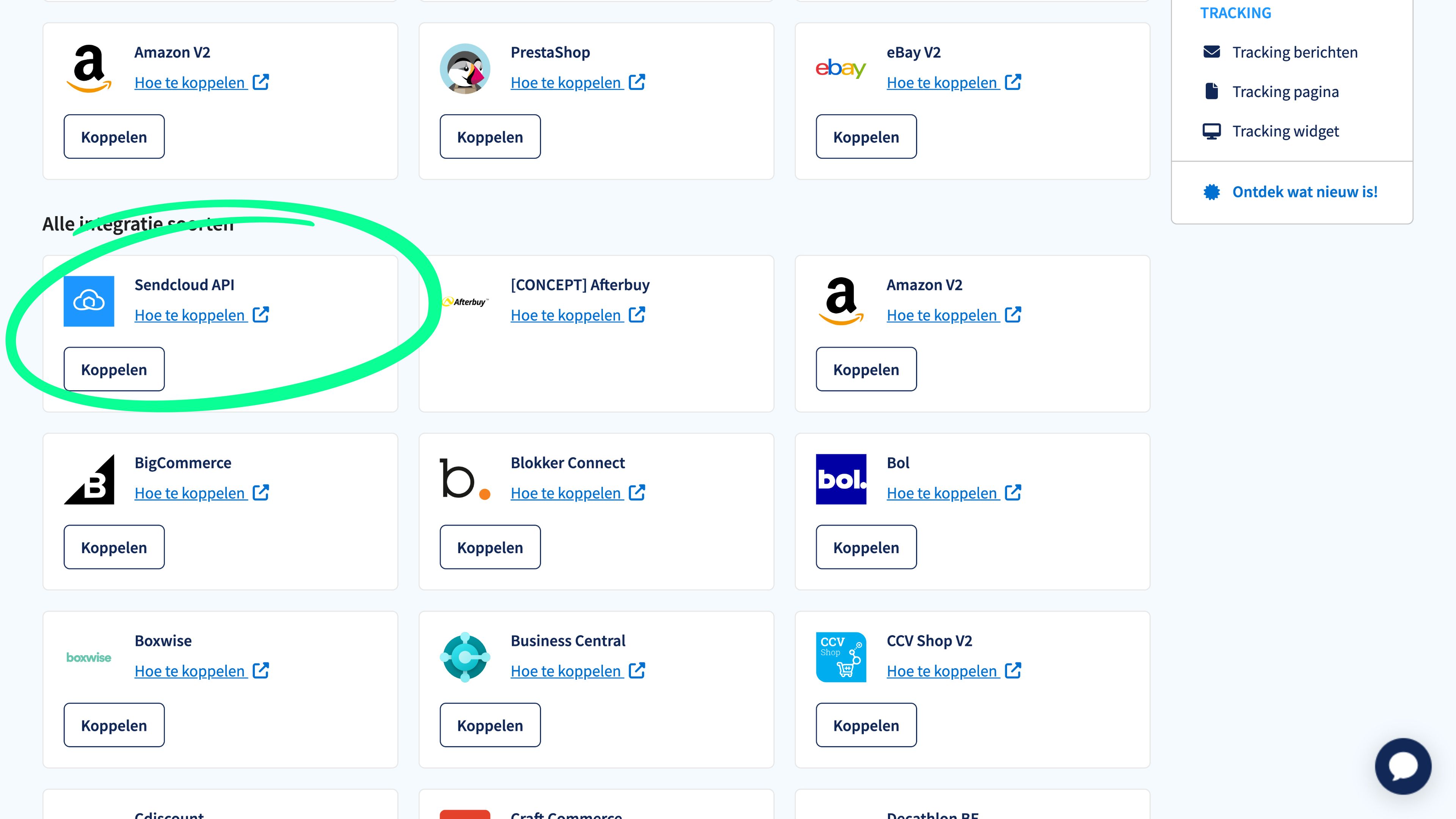
Scroll down until you see the 'Sendcloud API' box. Then click on 'Connect'.
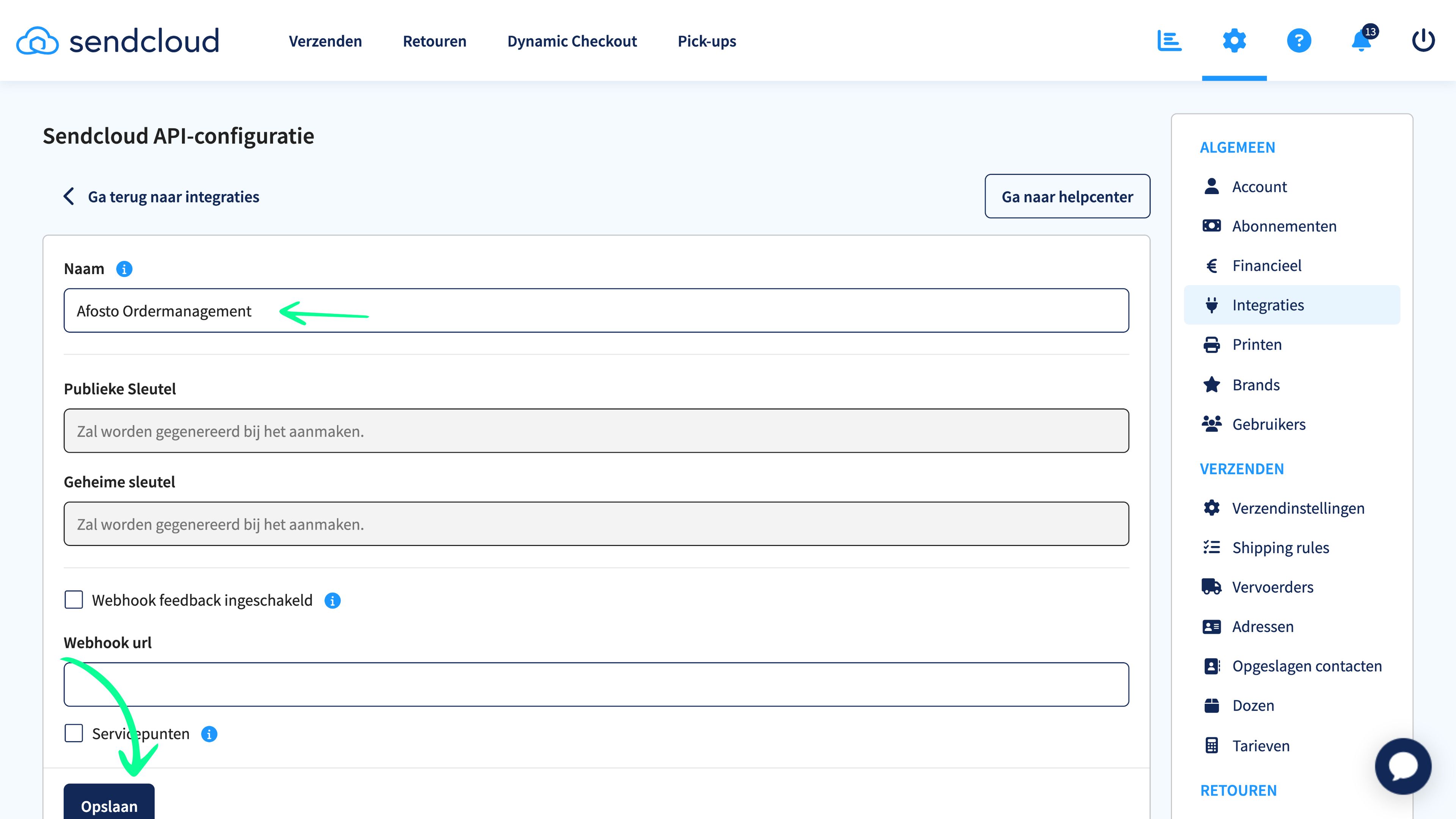
Enter a name for the integration that you can easily recognize. For example, Afosto Ordermanagement. Then click save. You need to do this to generate the API keys.
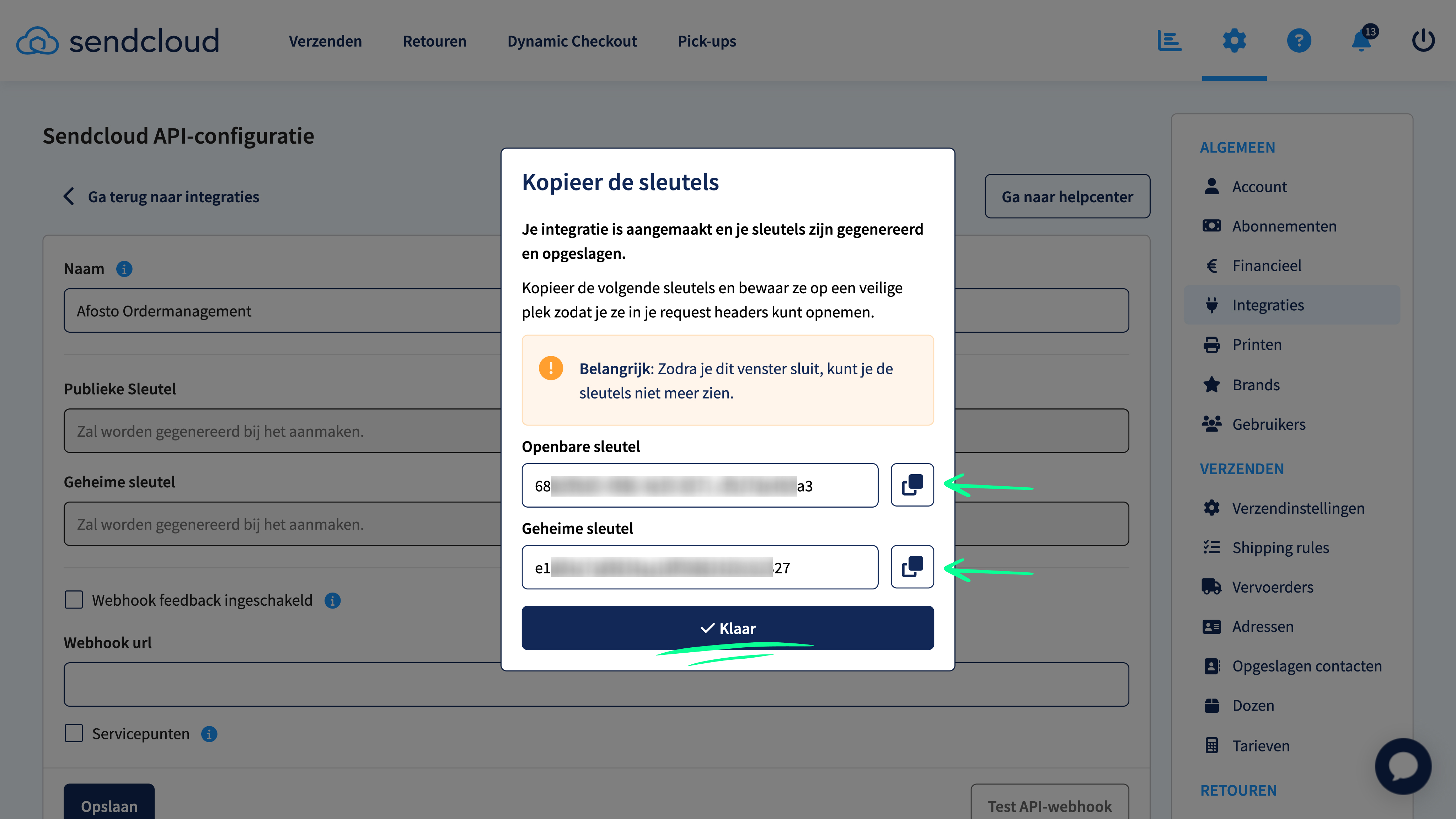
A pop-up opens in which both a 'public key' and 'secret key' have been generated. Copy these and store them safely. You will need them in your Afosto account. Then click 'Done'.